Examples
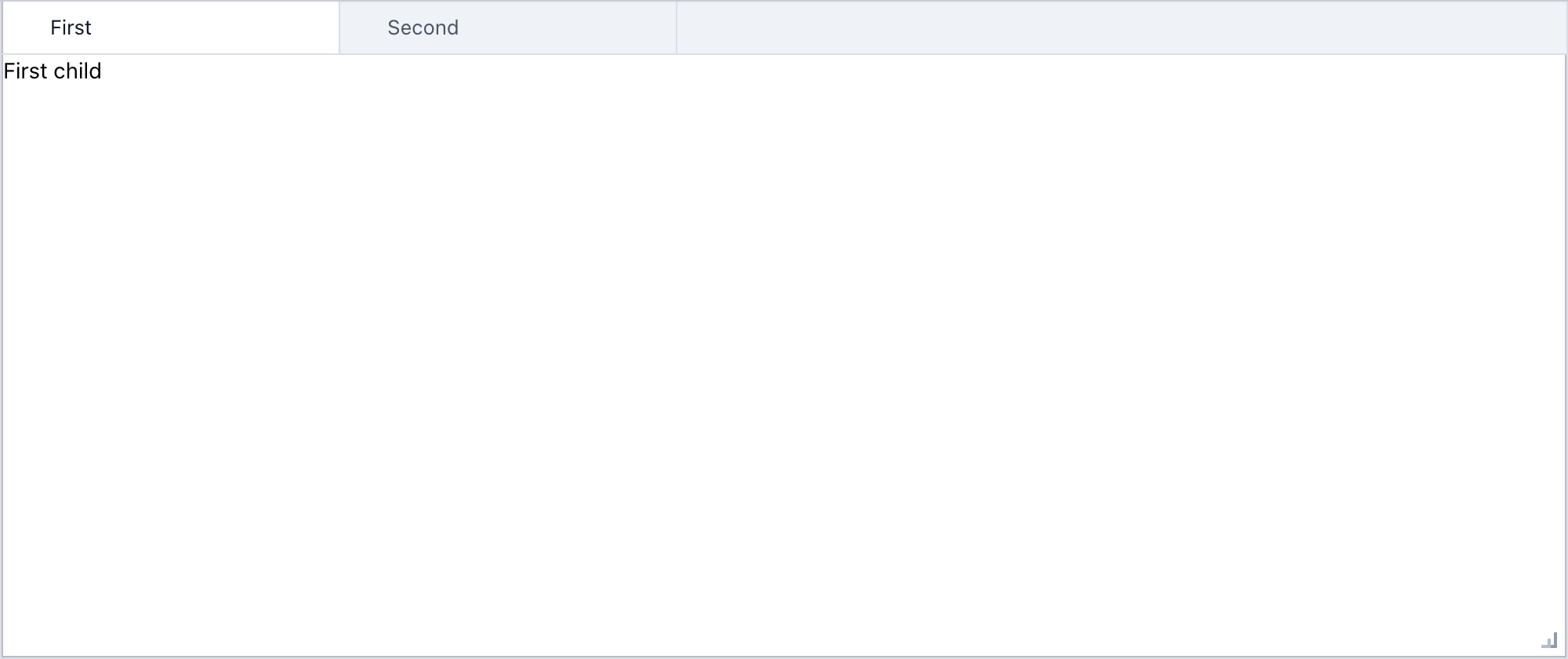
Minimal tabs
from anylumino import TabPanel
from anylumino import astryx as ax

TabPanel(
    {
        "first": ax.Text("First child"),
        "second": ax.Text("Second child"),
    },
    titles={"first": "First", "second": "Second"},
)
Add a tab after display
tabs = TabPanel({"main": figure_a}, titles={"main": "Main"})
tabs

tabs.add("recent", figure_b, title="Recent", select=True)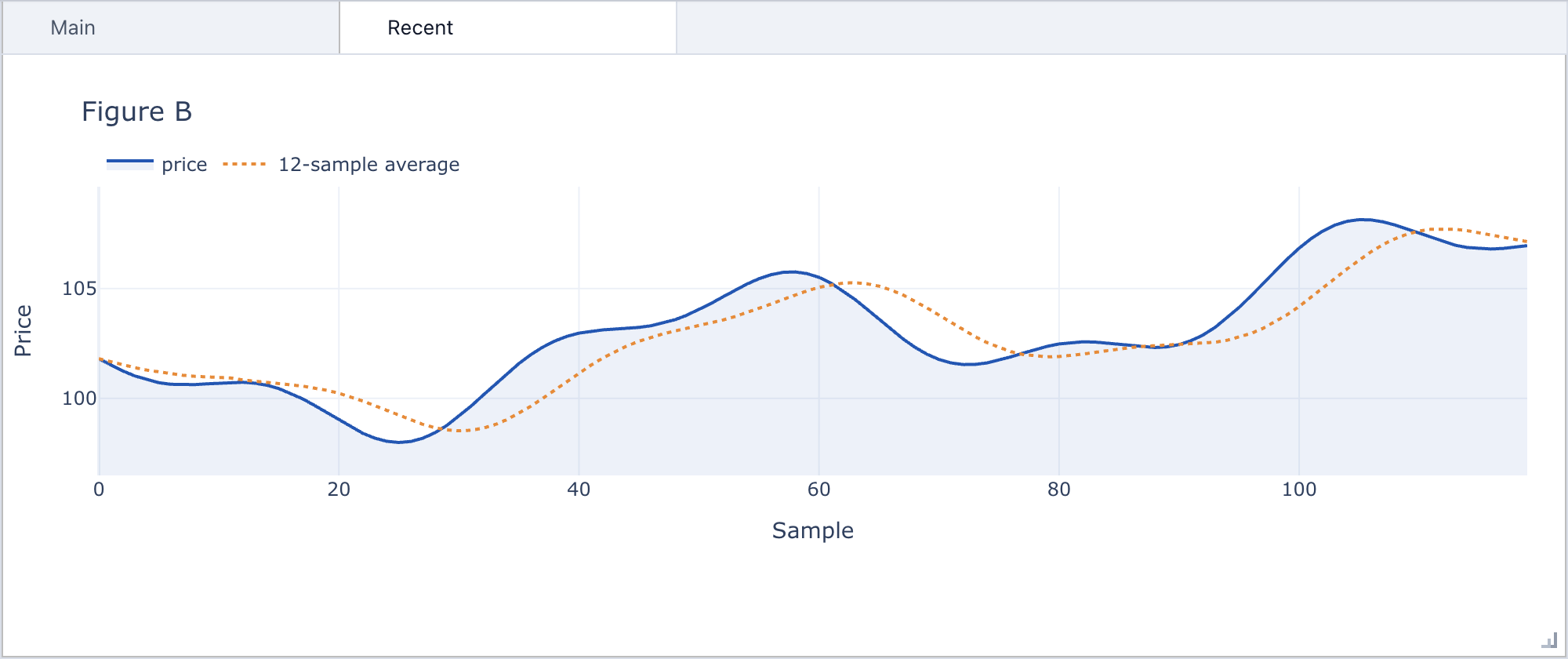
Order blotter with callbacks
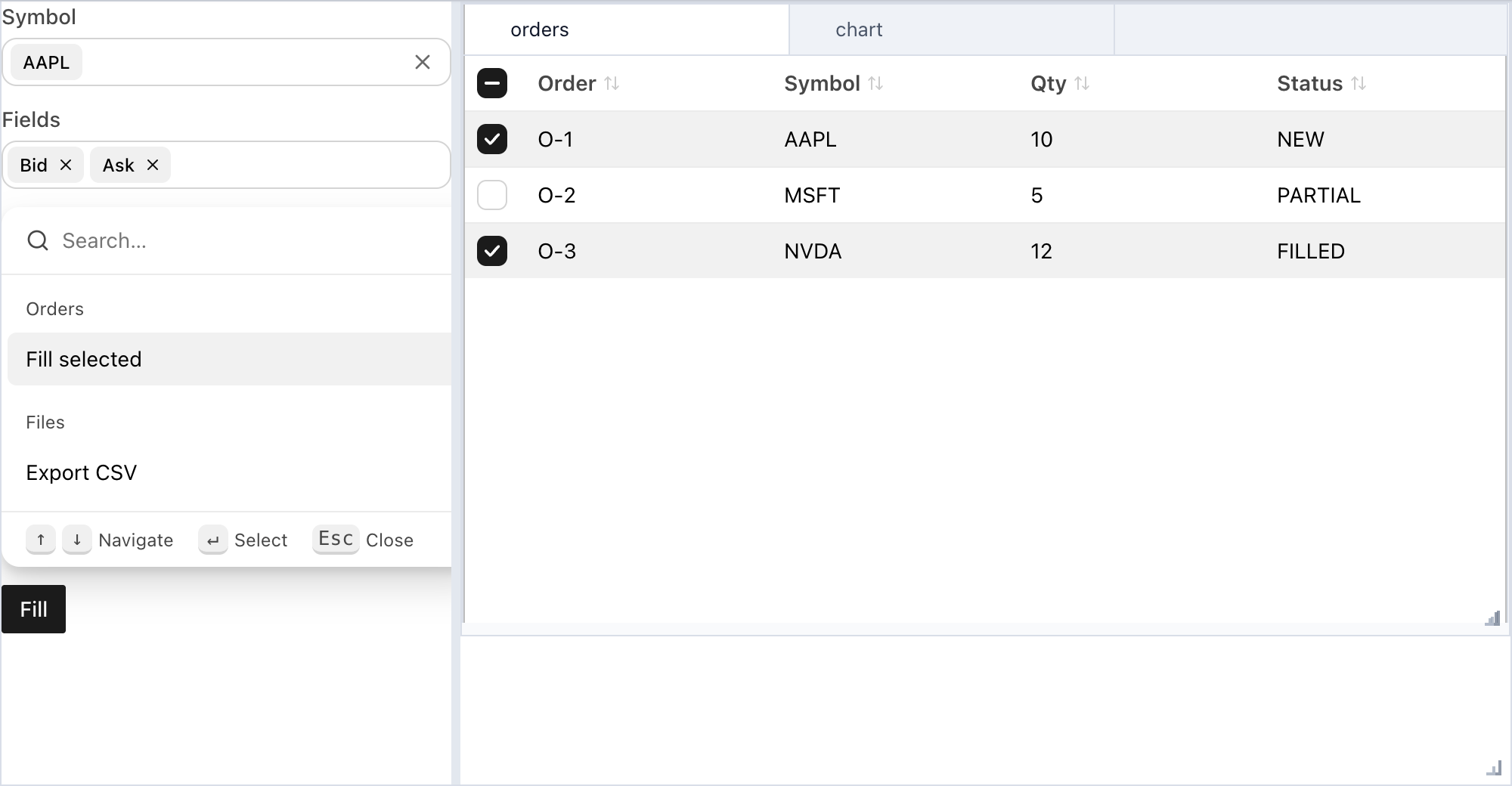
The Fill button marks the checked rows as filled and reports the count, so the table, the status line, and the filters stay in sync from one callback:
import anylumino as al
import anylumino.astryx as ax

status = ax.Text("Select orders, then press Fill")

orders = ax.Table(
    rows=order_rows,
    columns={"order_id": "Order", "symbol": "Symbol", "qty": "Qty", "status": "Status"},
    row_key="order_id",
    selected=["O-1", "O-3"],
    selects="multiple",
    sortable=True,
)

def fill_selected(_button):
    for order_id in orders.selected:
        orders.update_row(order_id, {"status": "FILLED"})

    status.text = f"Filled {len(orders.selected)} orders"

filters = ax.Theme(
    {
        "symbol": ax.Typeahead(
            ["AAPL", "MSFT", "NVDA"],
            value="AAPL",
            label="Symbol",
        ),
        "fields": ax.Tokenizer(
            ["Bid", "Ask", "Last"],
            value=["Bid", "Ask"],
            label="Fields",
        ),
        "commands": ax.CommandPalette(
            [
                {"id": "fill", "label": "Fill selected", "auxiliaryData": {"group": "Orders"}},
                {"id": "export", "label": "Export CSV", "auxiliaryData": {"group": "Files"}},
            ],
            value="fill",
            width=320,
        ),
        "fill": ax.Button("Fill", variant="primary", callbacks=[fill_selected]),
    },
    gap=3,
)

tabs = al.TabPanel({"orders": orders, "chart": trend_figure})
al.SplitPanel(
    {"filters": filters, "workspace": al.VBox({"tabs": tabs, "status": status}, stretches=[1, 0])},
    sizes=[0.3, 0.7],
    height=520,
)
Chat with a streamed reply
ax.Chat renders the messages that Python assigns. The submit callback adds
the user message and an empty assistant message. An asyncio task then replaces
the last message with longer text. While is_streaming is True, the composer
shows a stop control, and the stop callback cancels the task:
import asyncio

import anylumino.astryx as ax

chat = ax.Chat(
    [
        {"role": "system", "content": "Session started"},
        {"role": "user", "content": "Load the sales data", "status": "sent"},
        {
            "role": "assistant",
            "content": "Loaded **1,204 rows** from `sales.csv`.",
            "tool_calls": [{"name": "Read", "target": "sales.csv", "status": "complete"}],
        },
    ],
    placeholder="Ask about the data",
)
reply_task = None

async def reply(text):
    answer = ""
    for word in f"You asked: {text}".split():
        answer = f"{answer} {word}".strip()
        chat.messages = [*chat.messages[:-1], {"role": "assistant", "content": answer}]
        await asyncio.sleep(0.2)

    chat.is_streaming = False

def submit(chat, text):
    global reply_task
    chat.messages = [
        *chat.messages,
        {"role": "user", "content": text, "status": "sent"},
        {"role": "assistant", "content": ""},
    ]
    chat.is_streaming = True
    reply_task = asyncio.get_running_loop().create_task(reply(text))

def stop(chat):
    reply_task.cancel()
    chat.messages = [*chat.messages[:-1], {**chat.messages[-1], "status": "stopped"}]
    chat.is_streaming = False

chat.on_submit(submit)
chat.on_stop(stop)
chat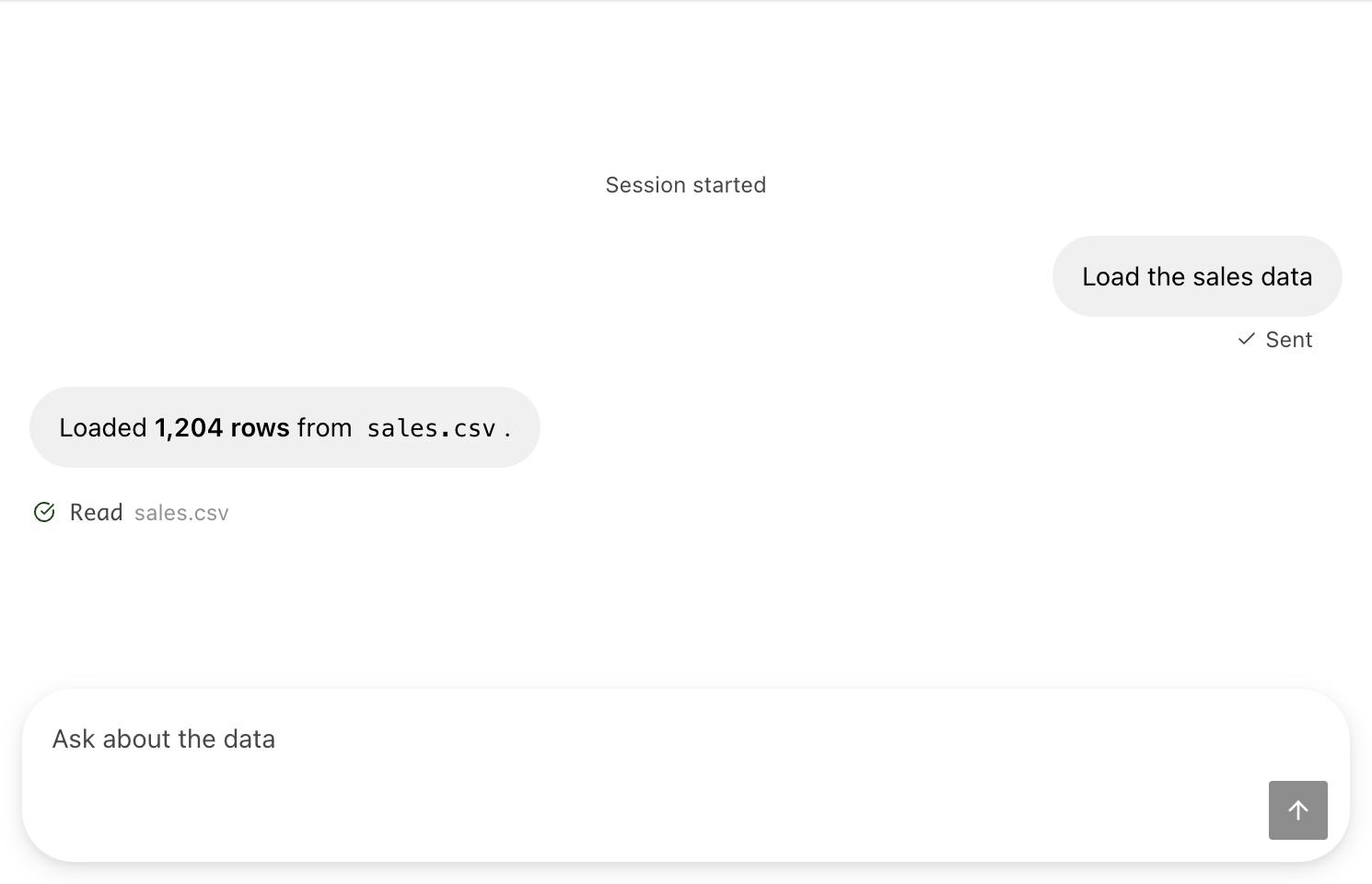
Assign a new list to messages. Changes to the list in place do not reach
the browser.
Lumino action skeleton
import anylumino as al

actions = [
    {"id": "new-figure", "label": "New figure", "icon": "AddContent"},
    {"id": "refresh", "label": "Refresh", "icon": "RotateRight"},
]

callbacks = {
    "new-figure": lambda _id: tabs.add(
        "figure-2",
        new_figure,
        title="Figure 2",
        select=True,
    ),
    "refresh": lambda _id: tabs.call_owner(tabs.selected_key, "refresh"),
}

toolbar = al.Toolbar(actions, callbacks=callbacks)
menu = al.MenuBar([{"label": "Figure", "items": actions}], callbacks=callbacks)

tabs = al.TabPanel({"figure-1": figure_panel})
al.GridPanel(
    {"menu": menu, "toolbar": toolbar, "workspace": tabs},
    columns="1fr",
    rows="34px 44px minmax(0, 1fr)",
    gap=0,
    height=560,
)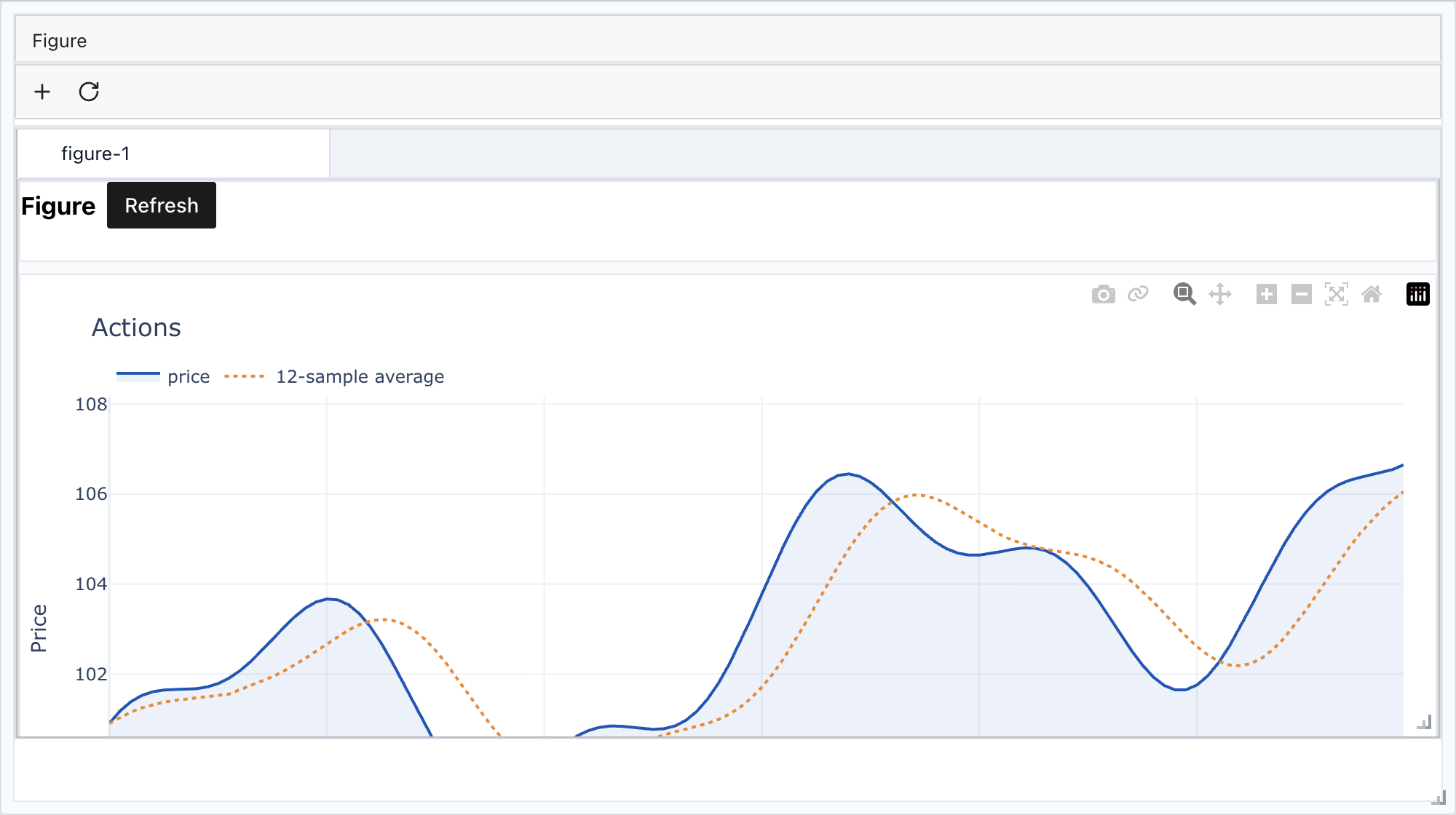
Lumino action widgets still use bundled workflow icon names such as
AddContent and RotateRight. Astryx widgets use their own component props and
brand tokens.
The frontend bundles are shipped with anylumino, so these examples do not require CDN access for Lumino, Astryx, or bundled workflow icons.
Local notebooks
The repository includes Jupytext notebooks for smoke testing:
notebooks/docs_examples.pycollects every example on these documentation pages in page order;scripts/docs_examples.pyregenerates it and the screenshots come fromscripts/capture-docs-screenshots.mjs.notebooks/plotly_tabs.pytests tabs and dynamic child addition with Plotly figures.notebooks/plotly_dashboard.pyexercises all layout and action widgets with Plotly figure updates.notebooks/astryx_components_smoke.pycovers the Astryx component family, theme propagation, static search wrappers, and inline dialog wrappers.notebooks/astryx_layout_panels.pyshows the Astryx layout panels, tabs, stacked, accordion, scroll box, split, and responsive, with Python-driven selection, open sections, and split sizes, and nests them together.notebooks/astryx_chat.pyruns an echo bot onax.Chatthat streams its reply, updates a tool-call row, and stops on request.notebooks/openui_workbench.pyopens an OpenUI workbench with a sales data frame in the namespace, for building a UI throughclaudeorcodex.notebooks/openui_workbench_fake_agent.pyruns the workbench against a fakecodexthat returns a fixed sales explorer, to check the tabs, callbacks, scrolling, and session restore without spending agent tokens.notebooks/astryx_table.pyfocuses on Astryx table selection, sorting, and row helper behavior.notebooks/itables_tabs.pyplaces anitables.widget.ITableinside a tab, appends rows to a pandas DataFrame, and refreshes the displayed table withITable.update(...).